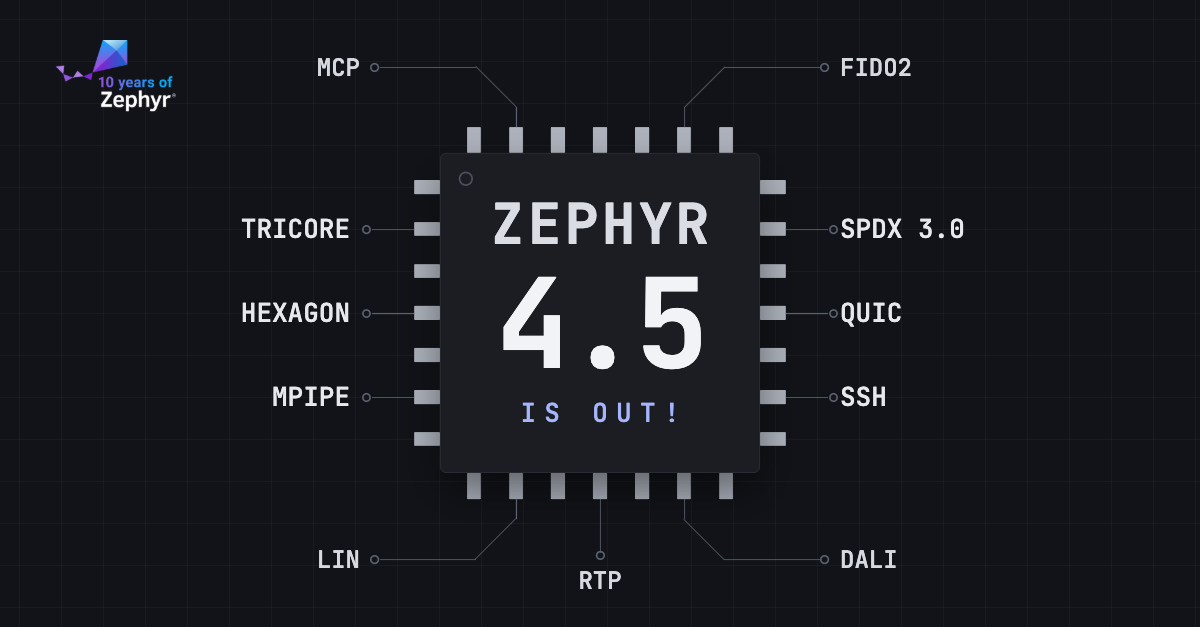
On behalf of the Zephyr Project, I am thrilled to announce the general availability of Zephyr 4.5!
This release is packed with contributions from over 1,200 individuals (a new record!), bringing two new processor architectures, a much faster and expanded network stack, a GStreamer-style media framework, SPDX 3.0 SBOMs that record how your firmware was built, and a long list of debugging and testing improvements.

Unsurprisingly, drivers and hardware support account for more than half of the commits. But as you will see, there has been plenty of activity in other areas too!

As usual, I recorded a video that walks through the highlights. This time I kept the demos to a couple of real-world scenarios rather than one per feature, and each chapter opens with a title card so you can jump around more easily.
Throughout the article, clicking the ▶️ symbol takes you to the matching section of the video.
▶️ Two new architectures: TriCore and Hexagon
It’s not every day that a new processor architecture gets added to Zephyr, so getting two in the same release is pretty exciting! TriCore and Hexagon join a list that already spans Arm, RISC-V, x86, Xtensa, ARC, OpenRISC and more.

Left: Bosch EDC17CP20 engine control unit with an Infineon TriCore TC1796 (photo: KaiBorgeest, CC BY-SA 3.0). Right: Qualcomm APQ8064, a Snapdragon S4 Pro with a Hexagon DSP inside (photo: Raimond Spekking, CC BY-SA 4.0).
- Infineon TriCore is the architecture behind the AURIX family of automotive microcontrollers. If you build ECUs, Zephyr now runs on the cores you already use.
- Qualcomm Hexagon is a DSP architecture found in many Qualcomm SoCs, a good fit for audio, sensor and signal-processing workloads.
Both come with QEMU targets (qemu_tc3x, qemu_tc4x and qemu_hexagon), so you can try them without any hardware. The TriCore QEMU and the Hexagon toolchain don’t ship with the Zephyr SDK yet, so follow the TriCore and Hexagon board pages to set them up first.
▶️ Networking: faster, and a lot more protocols
Networking has always been one of Zephyr’s strong suits, and this release makes the stack both faster and a lot broader.
Up to 21% faster TCP, up to 12% faster UDP
A series of optimizations across the IP stack delivers up to 21% higher TCP throughput, and up to 12% higher UDP throughput, in the zperf loopback benchmark. That benchmark runs in QEMU’s instruction-counting mode, so results are deterministic and comparable from one release to the next.

TCP gains about the same at every payload size, so the cost per segment went down. UDP gains are more modest, but clearly visible: 7 to 12% on x86 and Cortex-M3, and 1 to 3.5% on RISC-V.
QUIC and HTTP/3
 Much of the web now runs on HTTP/3, which sits on top of QUIC instead of TCP. QUIC has TLS 1.3 built in, sets up connections in fewer round trips, and copes better with lossy networks, which is daily life for many IoT devices.
Zephyr 4.5 adds a QUIC transport, and the HTTP server can now serve HTTP/3.
▶️ SSH server and client
The Zephyr shell can already be reached over many backends: UART, Segger RTT, Telnet, WebSocket, MQTT and more. Zephyr 4.5 adds SSH to that list, along with a full SSH server and client: ssh into your device and you land in the familiar Zephyr shell, over an encrypted link.
Zephyr as a router
Zephyr devices increasingly sit in the middle of a network, not only at its edge: think of a gateway sharing a cellular uplink with the sensors behind it, or a machine controller bridging the machine’s internal Ethernet network to the plant network.
Zephyr 4.5 adds IPv4 forwarding and NAT, with connection tracking and forwarding rules you can manage from the shell (net iptable), plus DHCPv6 prefix delegation and IPv6 router advertisements, so a Zephyr device can now route a downstream network all on its own.
The new prefix delegation sample shows the IPv6 side end to end: it requests a prefix upstream, carves a /64 out of it for each downstream link, and advertises it so that hosts there configure their own addresses.
AI agents, meet Zephyr
The Model Context Protocol (MCP) is how AI agents discover and call tools, and with 4.5, Zephyr can act as an MCP server: a board can, for example, expose each of its sensors as a tool, and let an agent discover the hardware, read it, and even build a UI around it. An MCP server on a microcontroller may sound like a stretch, but in the demo below I’ll try to show that it can be genuinely useful.
▶️ Demo: let an AI agent run your board
To put this to the test, I plugged a flight controller I’ve been bringing up on Zephyr into my laptop. Its firmware runs an MCP server with one tool per sensor on the board, sensor_read_<node>, which returns every channel that sensor supports with units: accelerometer, gyro, magnetometer, pressure, temperature, supply voltages. Then I asked an agent a simple question: “Is this board ready to fly?”
It called the tools, read every sensor, and reported back. It spotted what looked like issues with the magnetometer, and was able to effectively put things into perspective of what a healthy drone should look like.
Next, I asked it for a live web dashboard of all the sensors, and a couple of minutes later I got this:

Exposing those tools generically was easy, thanks to a new Zephyr 4.5 feature: Devicetree bindings can now declare a device class with the new class: key, and sensors use class: sensor. The MCP server walks DT_FOREACH_CLASS_STATUS_OKAY(sensor, ...) and registers one tool per enabled sensor, so adding a sensor to the board adds a tool on the next build.
▶️ Multimedia pipelines with mpipe
Camera in, display out, maybe a recording on the side: media applications on microcontrollers usually mean hand-wiring drivers, buffers and threads, and starting over for the next product.
The new, experimental Multimedia Pipeline (mpipe) subsystem brings a GStreamer-style model to microcontrollers. You build a media application by linking source, transform and sink elements into a pipeline, and buffers flow through it without being copied.
If you have used GStreamer, the concepts will feel familiar: pads and links, caps negotiation between elements, buffer pools, and a READY / PAUSED / PLAYING state machine. A tee and a couple of queues let one camera feed several branches, each on its own thread.
For the release video, I put together something akin to a privacy-aware smart camera: a webcam (or a film) goes through an mpipe graph that runs YOLOX-nano object detection with TensorFlow Lite Micro right inside Zephyr, pixelates the people it finds, and saves an anonymized photo when someone walks in.

The smart camera pipeline. Purple elements are written by the application.
The detection branch sits behind a leaky queue that only keeps the latest frame: the video plays at full rate however slow inference is, and the detector simply skips the frames it can’t keep up with. Its results are shared with the video branch, which uses them both to pixelate people and to draw the boxes. (Full disclosure: for the video, I cheated a little, and the neural network ran locally on my GPU!)

Live video, object detection and overlays, all in one pipeline. (c) Blender Foundation | mango.blender.org, CC BY 3.0.

Adding stages is easy, for example fancy visual FX 🙂 (c) Blender Foundation | peach.blender.org, CC BY 3.0.
mpipe saw a lot of activity during the 4.5 cycle, and plenty more is on its way. I used a few of those upcoming pieces a little ahead of time, so the demo gives a fuller preview of what mpipe can do: the video and display elements are actually still under review (#108344 and #108345), but I cherry-picked them into my demo setup 🙂
▶️ Security and SBOM
With the EU Cyber Resilience Act on the horizon, knowing exactly what went into your firmware is no longer optional. Zephyr 4.5 improves both what you can prove and how you harden it.
SPDX 3.0 SBOMs
Zephyr has been able to generate an SBOM with west spdx for a while. In 4.5 it learns SPDX 3.0, a ground-up rework of the spec: an SBOM is now a graph of typed elements, serialized as JSON-LD. You still get every source file in your image with its hashes, license and, best-effort, copyright notice.
What I find most interesting is that your SBOM can now tell you not only what went into your firmware, but also how it was built: which compiler, which flags, which sources ended up in which library. The new Build profile captures all of it automatically through CMake’s file API.
Trying it takes two commands. SPDX 2.3 is still the default, so ask for 3.0 explicitly:
No more west spdx --init step. You get four documents in build/spdx/, one of which lists your modules’ CPE and PURL identifiers, ready for vulnerability scanners.
Why it matters: the EU Cyber Resilience Act requires an SBOM in a machine-readable format, and its reporting obligations have applied since September 2026. When a vulnerability report lands, an SBOM that lists every component and source file in each build helps you quickly find which of your builds include the affected code, and the recorded toolchain and flags can be an additional aid for assessing your actual exposure, for example when a vulnerability only applies with certain compilers or compile flags.
To look inside one, you can load its files in the SPDX 3 visualizer, a browser-only tool available from the SPDX website.


Hardening checks
The revamped hardening tool checks your configuration against a database of recommendations curated by the Security Working Group, explains why each one matters, maps it to the relevant CWEs, and can fail your CI build when something regresses. In short, it helps you ship more secure products.
Here is an excerpt of what west build -t hardenconfig reports for one of my demos:
FIDO2 authenticator
Passkeys are fast replacing passwords, but they need an authenticator. The new FIDO2 subsystem turns a Zephyr device into one, over USB or BLE, and comes with a sample to get you started.
To show how little code FIDO2 takes, I turned a Nordic nRF52840 Dongle into a USB security key running pretty much the unmodified upstream sample. Plug it in, tap the dongle’s button when asked, and you’re in. I forgot to put this one in the release video, but as you can see, it only takes a few seconds to show anyway!
Unplug and replug it, and it still works: its keys are kept in flash. There’s something a bit magical about logging into your computer with a key running Zephyr, is there not?
▶️ Debugging and diagnostics
As with every release, there are new tools to make your life easier, and this time they are mostly about understanding what your firmware is doing, and why it fell over.
Assertions where you need them
Assertions are great, until you enable them everywhere and your image no longer fits or your timing changes.
The new ZASSERT() macro lets you set the assertion level per module, and even per file: off, terse, normal or verbose. The existing __ASSERT() keeps working on top of it. (Not to be confused with Ztest’s lowercase zassert_*() macros, which report test failures rather than guard runtime code.)
Heap memory error detection
Heap corruption is among the nastiest bugs to chase: the crash happens long after, and far away from, the faulty write. CONFIG_SYS_HEAP_SANITIZER_ASAN on native_sim, and CONFIG_SYS_HEAP_KASAN on real targets, catch invalid accesses to heap memory close to where they happen.
Tracing
Tracing gains a terminal viewer, a shell, an ITM backend, and Perfetto export. That last one means you can open a Zephyr trace in the same UI you may already use for Linux or Android.

Here’s the new terminal viewer, scripts/tracing/trace_viewer.py, replaying a trace from one of my demos. You can play it back, zoom in, step through events, or switch to the raw event log. It is plain Python with no dependencies, which is very handy: until now, looking at a Zephyr trace meant installing tools such as TraceCompass, or the babeltrace Python bindings for parse_ctf.py, which are not always easy to get on every OS.
Coredumps over UDP
A crashed device can now send its coredump over the network instead of a serial cable, which is handy when it crashed somewhere you can’t plug a debugger in. On your laptop, the usual coredump tooling turns it into a GDB session on the faulting line.
▶️ Simulation and testing
native_sim runs Zephyr as a regular program on your Linux machine, and 4.5 lets it reach a lot more of the host: Wi-Fi, audio and video, LEDs, a temperature sensor, and host directories mounted into the Zephyr file system. More of your application can now run, and be tested, without a board on your desk.

native_sim peripherals backed by the Linux host, new in Zephyr 4.5.
And when real hardware is involved, Twister can now drive tests that span several devices, and build the same test with more than one toolchain.
▶️ New driver classes
Six new driver APIs widen the range of hardware Zephyr supports out of the box:
- Buzzer: passive and active buzzers, driven by PWM or GPIO.
- Clock Monitor: watch a clock’s frequency at runtime.
- DALI: the Digital Addressable Lighting Interface used in building lighting.
- LIN: the Local Interconnect Network, the low-cost automotive serial bus.
- MUX: hardware signal multiplexers.
- Pulse IO: generate and capture timed digital edges, as needed by addressable LED strips and infrared transceivers.

The six new driver classes in Zephyr 4.5.
A faster kernel
Zephyr is a real-time kernel first, and this release makes that kernel faster. I took some time to do a full run of the Thread-Metric benchmark suite on an STM32F412 board, and every test that exercises the kernel is 3 to 15% faster on 4.5 than on 4.4.

The biggest gains are in inter-thread communication, something most real applications rely on heavily: a semaphore give/take is over 15% faster, and a message queue round trip almost 14% faster.
▶️ 178 new boards
This release adds 178 new boards and 29 new shields.
Silicon vendors did a lot of the heavy lifting: about 80 of the new boards are evaluation and development kits from Silicon Labs, NXP, Infineon, Microchip, ST, Renesas, TI, Espressif, AMD, Alif and others, typically landing alongside support for their latest SoCs.
Beyond the dev kits, here are a few of my personal favorites among the more unusual boards: the Pebble Round 2 smartwatch (a Pebble, in the Zephyr tree!), the M5Stack StackChan desktop robot, the FlySky FS-i6S RC transmitter (its radio is not driven yet, but a proposed vendor-neutral radio API, likely coming in 4.6, is a first step toward custom radio firmware), the LilyGO T-Deck, and the tiny Tomu that fits inside a USB port.
And more!
- TCP selective acknowledgment (SACK) is now enabled by default, so connections recover faster from packet loss.
- An SNTP server, for when your Zephyr device should be the one handing out the time.
- Experimental iperf3 support in zperf. Until now, measuring a Zephyr device’s throughput meant running iPerf 2 on the other end; you can now test against iperf3, the version most people already use.
- Hardware-accelerated PSA Crypto on selected Silicon Labs, NXP and STM32 devices.
- VirtIO drivers for block, input, GPIO, I2C and SPI on QEMU targets.
- TTCN-3 conformance suites for the networking stack.
Catch up on the full release notes, and don’t forget the migration guide, which documents the steps you need to take when upgrading from 4.4.
On that note: two changes you are likely to hit: the ring buffer’s claim/finish API has been replaced by ring_buf_put_ptr() and ring_buf_get_ptr(), and the CMake flash and debug targets are gone in favor of their west equivalents.
And, finally, a huge thank you to all 1,200+ contributors who made this release possible, and to Henrik Brix Andersen and Tom Burdick for steering it as release managers! It’s pretty incredible to see the community continue to grow and deliver so much, release after release.
Enjoy this new release! Come and say hi on Discord if you have questions or feedback, or if you want to get involved. And subscribe to the Zephyr YouTube channel and the Zephyr Podcast so you don’t miss what comes next.